# Configurations

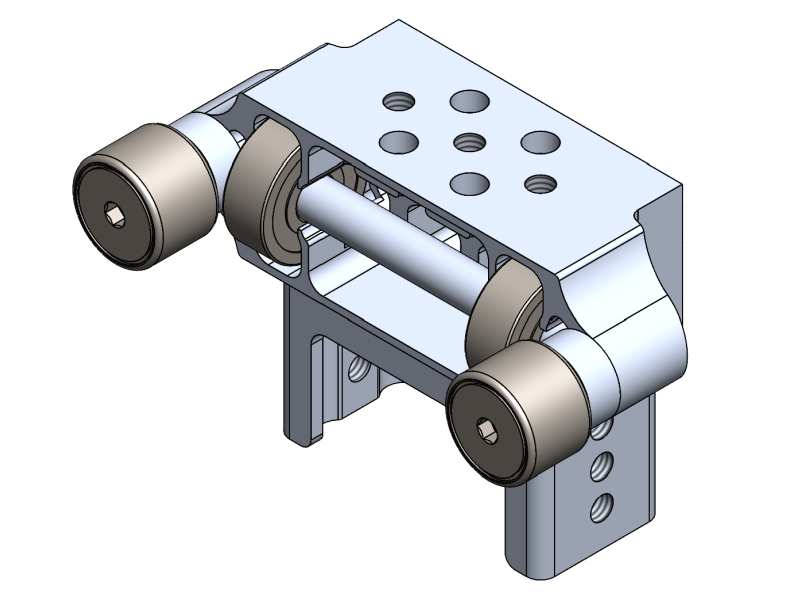
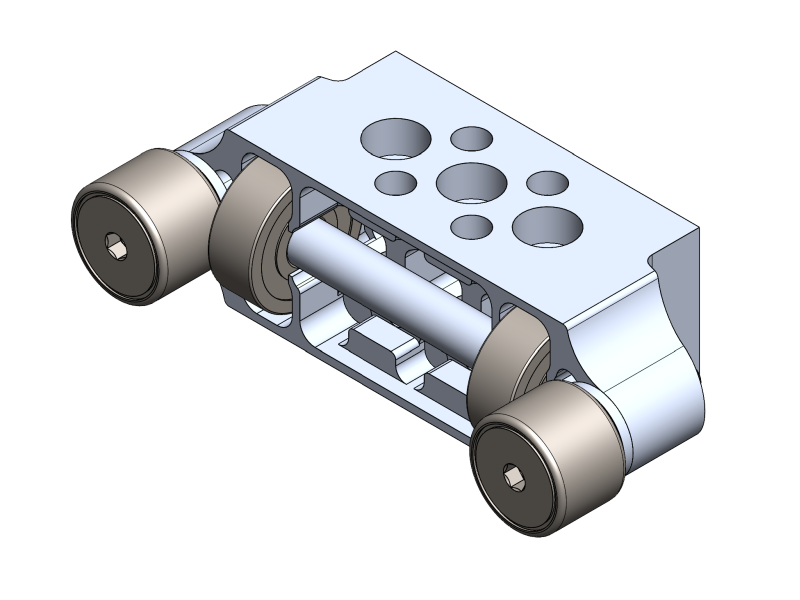
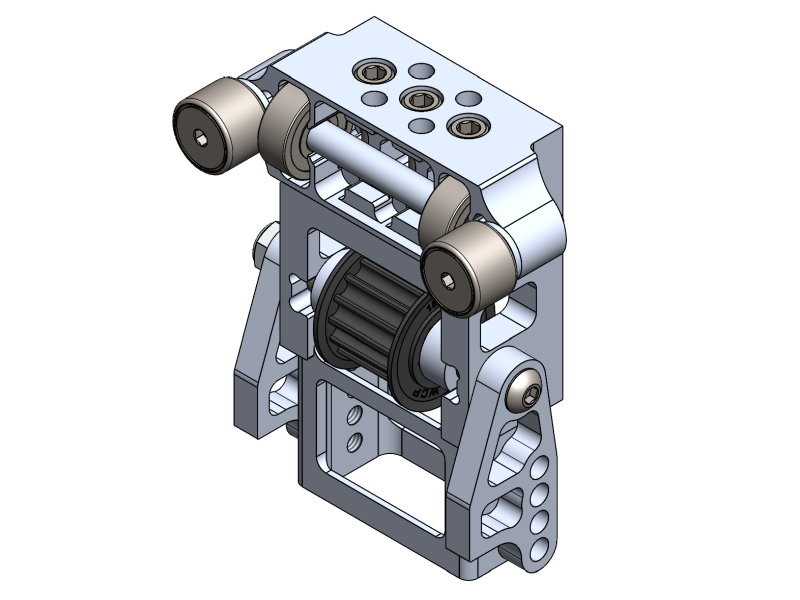
This section covers all possible configurations for the WCP Elevator Blocks, including different spacing options, choices between cam follower or bearing setups, and integration with tube plugs. By reviewing these options, teams can select the configuration that best meets their design goals.

## Elevator Corner Bearing Block with Tube Plug

### Overlap Spacing

#### Cam Follower&#x20;

The two configurations of the WCP Elevator Block Spacer determine the amount of overlap between the Cam Follower and the vertical tubes of each elevator stage. This is shown in the images below, with the vertical tube represented in <mark style="color:blue;">**Blue**</mark>.

<div><figure><img src="https://3321970383-files.gitbook.io/~/files/v0/b/gitbook-x-prod.appspot.com/o/spaces%2FvpVKG4kVLnIlJUReyy4N%2Fuploads%2FCldjuJF9nICBHHPd1APi%2FWCP-1810%20Elevator%20Block%20-%20Long%20Spacer.svg?alt=media&#x26;token=01c228a6-9ae8-435a-95ba-0d038e4b1e15" alt=""><figcaption><p>Long Spacer</p></figcaption></figure> <figure><img src="https://3321970383-files.gitbook.io/~/files/v0/b/gitbook-x-prod.appspot.com/o/spaces%2FvpVKG4kVLnIlJUReyy4N%2Fuploads%2FyVlMYsG62z6rujsbTG2b%2FWCP-1810%20Elevator%20Block%20-%20Short%20Spacer.svg?alt=media&#x26;token=2f2d7bdc-1515-4a9e-ab18-9b4eee84e0dd" alt=""><figcaption><p>Short Spacer</p></figcaption></figure></div>

#### Shoulder Bolt

The WCP Elevator Block is also compatible with Shoulder Bolts, using either a single or dual bearing stack-up configuration. Allowing teams to adjust the amount of overlap between the bearings and the vertical tubes of each elevator stage. This is shown in the images below, with the vertical tube represented in <mark style="color:blue;">**Blue**</mark>.

{% hint style="warning" %}
The spacers shown below are not included with the elevator block but can be downloaded separately using the link below.
{% endhint %}

{% file src="<https://3321970383-files.gitbook.io/~/files/v0/b/gitbook-x-prod.appspot.com/o/spaces%2FvpVKG4kVLnIlJUReyy4N%2Fuploads%2FqtDKio8Hbau8ghyl9Dln%2FWCP-1810-005%20Rev1.STEP?alt=media&token=63bde68b-ea3f-49b6-9f72-12c0f89019f4>" %}

{% file src="<https://3321970383-files.gitbook.io/~/files/v0/b/gitbook-x-prod.appspot.com/o/spaces%2FvpVKG4kVLnIlJUReyy4N%2Fuploads%2FdRJ8yMOuya1oCG4hbOSd%2FWCP-1810-006%20Rev1.STEP?alt=media&token=5f8631b3-3e25-449e-983b-92360326f82e>" %}

<div><figure><img src="https://3321970383-files.gitbook.io/~/files/v0/b/gitbook-x-prod.appspot.com/o/spaces%2FvpVKG4kVLnIlJUReyy4N%2Fuploads%2FYiRIrld80rrWX0b86pdU%2FWCP-1810%20Elevator%20Block%20-%20Shoulder%20Bolt%2C%20Double%20Spacing.svg?alt=media&#x26;token=1f0a226d-2498-4b9b-91a6-a639c524a881" alt=""><figcaption><p>Dual Bearing Stack-Up</p></figcaption></figure> <figure><img src="https://3321970383-files.gitbook.io/~/files/v0/b/gitbook-x-prod.appspot.com/o/spaces%2FvpVKG4kVLnIlJUReyy4N%2Fuploads%2FiGselAsfGPSxFYG9fOo0%2FWCP-1810%20Elevator%20Block%20-%20Shoulder%20Bolt%2C%20Single%20Spacing.svg?alt=media&#x26;token=edc2e9e1-ef90-4bba-b177-81caba0bd2c1" alt=""><figcaption><p>Single Bearing Stack-Up</p></figcaption></figure></div>

### Tube Plug Configurations

The Elevator Corner Bearing Block with Tube Plug is designed to work with the WCP Tube Plug, allowing teams easily build or integrate structures when building with the Elevator Block.

{% hint style="info" %}
The Inline Elevator Block can have up to two additional Tube Plugs directly mounted onto it. Reference the [Back](https://docs.wcproducts.com/welcome/system-and-structure/elevator-bearing-blocks/overview-and-features/basic-features#back-side) and [Top](https://docs.wcproducts.com/welcome/system-and-structure/elevator-bearing-blocks/overview-and-features/basic-features#top) side views for more information on the integrated hole pattern.
{% endhint %}

{% tabs %}
{% tab title="Block Only" %}

<figure><img src="https://3321970383-files.gitbook.io/~/files/v0/b/gitbook-x-prod.appspot.com/o/spaces%2FvpVKG4kVLnIlJUReyy4N%2Fuploads%2FygEvxeSApPVOu5mC6MO3%2FWCP-1810%20Elevator%20Block%20-%20Cover.svg?alt=media&#x26;token=1372396c-a294-4012-a3e9-7a0f8d3bc9c0" alt="" width="563"><figcaption><p>Elevator Block Only</p></figcaption></figure>
{% endtab %}

{% tab title="Block + 1 Tube Plug" %}

<figure><img src="https://3321970383-files.gitbook.io/~/files/v0/b/gitbook-x-prod.appspot.com/o/spaces%2FvpVKG4kVLnIlJUReyy4N%2Fuploads%2Fgka4Tr8i65tcwDKLufky%2FWCP-1810%20Elevator%20Block%20%2BTube%20Plug.svg?alt=media&#x26;token=52990929-490d-4261-b265-3418476456c2" alt="" width="563"><figcaption><p>Elevator Block &#x26; Single Tube Plug</p></figcaption></figure>
{% endtab %}

{% tab title="Block + 2 Tube Plugs " %}

<figure><img src="https://3321970383-files.gitbook.io/~/files/v0/b/gitbook-x-prod.appspot.com/o/spaces%2FvpVKG4kVLnIlJUReyy4N%2Fuploads%2FgGHgiB2rtIsNWskGgvpl%2FWCP-1810%20Elevator%20Block%20%2BTube%20Plug%202.svg?alt=media&#x26;token=a370d516-4e81-4828-8356-1962114c25c3" alt="" width="563"><figcaption><p>Elevator Block &#x26; Two Tube Plugs</p></figcaption></figure>
{% endtab %}
{% endtabs %}

## Elevator Corner Bearing Block

### Overlap Spacing

#### Cam Follower

The two configurations of the WCP Elevator Corner Bearing Block spacer determine the distance between the vertical tubes of each elevator stage. This is shown in the images below, with the vertical tube represented in <mark style="color:blue;">**Blue**</mark>.

<div><figure><img src="https://3321970383-files.gitbook.io/~/files/v0/b/gitbook-x-prod.appspot.com/o/spaces%2FvpVKG4kVLnIlJUReyy4N%2Fuploads%2F1F8OpXmTkBLsK0UajTKi%2FWCP-2072%20Elevator%20Block%20-%20Long%20Spacer.svg?alt=media&#x26;token=7ab49542-4576-4866-a4b0-da062dad1ae2" alt=""><figcaption></figcaption></figure> <figure><img src="https://3321970383-files.gitbook.io/~/files/v0/b/gitbook-x-prod.appspot.com/o/spaces%2FvpVKG4kVLnIlJUReyy4N%2Fuploads%2FsuxHMbcCdtzCC7eRQri3%2FTop%20Hat%20Elevator%20Block%20-%20Short%20Spacer.svg?alt=media&#x26;token=2f22dd55-5314-4dda-8671-0c2372e229dd" alt=""><figcaption></figcaption></figure></div>

#### Shoulder Bolt

The WCP Elevator Corner Bearing Block is also compatible with Shoulder Bolts, using either a single or dual bearing stack-up configuration. Allowing teams to adjust the amount of overlap between the bearings and the vertical tubes of each elevator stage. This is shown in the images below, with the vertical tube represented in <mark style="color:blue;">**Blue**</mark>.

{% file src="<https://3321970383-files.gitbook.io/~/files/v0/b/gitbook-x-prod.appspot.com/o/spaces%2FvpVKG4kVLnIlJUReyy4N%2Fuploads%2FqtDKio8Hbau8ghyl9Dln%2FWCP-1810-005%20Rev1.STEP?alt=media&token=63bde68b-ea3f-49b6-9f72-12c0f89019f4>" %}

{% file src="<https://3321970383-files.gitbook.io/~/files/v0/b/gitbook-x-prod.appspot.com/o/spaces%2FvpVKG4kVLnIlJUReyy4N%2Fuploads%2FdRJ8yMOuya1oCG4hbOSd%2FWCP-1810-006%20Rev1.STEP?alt=media&token=5f8631b3-3e25-449e-983b-92360326f82e>" %}

<div><figure><img src="https://3321970383-files.gitbook.io/~/files/v0/b/gitbook-x-prod.appspot.com/o/spaces%2FvpVKG4kVLnIlJUReyy4N%2Fuploads%2FwgIoTANWZuoUB6erjARs%2FWCP-2072%20Elevator%20Block%20-%20Shoulder%20Bolt%2C%20Double%20Spacing.svg?alt=media&#x26;token=c5f8342d-5b73-4aa2-84b0-4fdb20d9af39" alt=""><figcaption><p>Dual Bearing Stack-Up</p></figcaption></figure> <figure><img src="https://3321970383-files.gitbook.io/~/files/v0/b/gitbook-x-prod.appspot.com/o/spaces%2FvpVKG4kVLnIlJUReyy4N%2Fuploads%2FV95B5lyqoTD5u541nrbP%2FWCP-2072%20Elevator%20Block%20-%20Shoulder%20Bolt%2C%20Single%20Spacing.svg?alt=media&#x26;token=915ef827-69db-4e74-8ce2-90364f7528d6" alt=""><figcaption><p>Single Bearing Stack-Up</p></figcaption></figure></div>

### Tube Plug Configurations

The Elevator Corner Bearing Block is designed to work with the WCP Tube Plug, allowing teams easily build or integrate structures when building with the Elevator Block.

{% hint style="info" %}
The Inline Elevator Block can have up to two additional Tube Plugs directly mounted onto it. Reference the Back and Top side views for more information on the integrated hole pattern.
{% endhint %}

{% tabs %}
{% tab title="Block Only" %}

<figure><img src="https://3321970383-files.gitbook.io/~/files/v0/b/gitbook-x-prod.appspot.com/o/spaces%2FvpVKG4kVLnIlJUReyy4N%2Fuploads%2FQUCgILvBZduRzIT0yNYY%2FTop%20Hat%20Elevator%20Block%20-%20Cover.svg?alt=media&#x26;token=88c4453e-ee1e-4aa4-b955-694b41e3e572" alt="" width="563"><figcaption><p>Top Hat Elevator Block Only</p></figcaption></figure>
{% endtab %}

{% tab title="Block + 1 Tube Plug" %}

<figure><img src="https://3321970383-files.gitbook.io/~/files/v0/b/gitbook-x-prod.appspot.com/o/spaces%2FvpVKG4kVLnIlJUReyy4N%2Fuploads%2F7H2Wad37ygzlEoIjSqVX%2FTop%20Hat%20Elevator%20Block%20%2B%20Tube%20Plug.svg?alt=media&#x26;token=1cd9739d-7d12-40cd-896c-edbc9dbaf428" alt="" width="563"><figcaption><p>Top Hat Elevator Block &#x26; Single Tube Plug</p></figcaption></figure>
{% endtab %}

{% tab title="Block + 2 Tube Plugs" %}

<figure><img src="https://3321970383-files.gitbook.io/~/files/v0/b/gitbook-x-prod.appspot.com/o/spaces%2FvpVKG4kVLnIlJUReyy4N%2Fuploads%2FnWgpiibQsWKHrsk2TkCV%2FTop%20Hat%20Elevator%20Block%20%2B%20Tube%20Plug%202.svg?alt=media&#x26;token=7ab9a850-a191-4bf6-adcc-ef3fe1aaa7a6" alt="" width="563"><figcaption><p>Top Hat Elevator Block &#x26; Two Tube Plugs</p></figcaption></figure>
{% endtab %}

{% tab title="Block + 3 Tube Plugs" %}

<figure><img src="https://3321970383-files.gitbook.io/~/files/v0/b/gitbook-x-prod.appspot.com/o/spaces%2FvpVKG4kVLnIlJUReyy4N%2Fuploads%2FZYD0RSKUozTlzYc5yjJj%2FTop%20Hat%20Elevator%20Block%20%2B%20Tube%20Plug%203.svg?alt=media&#x26;token=5cd4e312-009a-4fdf-b175-e5cb12817f78" alt="" width="563"><figcaption><p>Top Hat Elevator Block &#x26; Three Tube Plug</p></figcaption></figure>
{% endtab %}
{% endtabs %}

## Belt in Tube Elevator Block

### Tube Plug Configurations

The Inline Elevator Block is designed to work with the WCP Tube Plug, allowing teams easily build or integrate structures when building with the Inline Elevator Block.

{% hint style="info" %}
The Inline Elevator Block can have up to two additional Tube Plugs directly mounted onto it. Reference the [Side](https://docs.wcproducts.com/welcome/system-and-structure/elevator-bearing-blocks/overview-and-features/basic-features#side-2) and [Top](https://docs.wcproducts.com/welcome/system-and-structure/elevator-bearing-blocks/overview-and-features/basic-features#top-2) side views for more information on the integrated hole pattern.
{% endhint %}

{% tabs %}
{% tab title="Block Only" %}

<figure><img src="https://3321970383-files.gitbook.io/~/files/v0/b/gitbook-x-prod.appspot.com/o/spaces%2FvpVKG4kVLnIlJUReyy4N%2Fuploads%2FundL2Hc6Ou2KSmDJMZG0%2FBelt%20in%20Tube%20Elevator%20Block%20-%20Cover.svg?alt=media&#x26;token=7a2e39d8-97dc-477b-aa57-3c35e6f3aaa2" alt="" width="563"><figcaption><p>Belt in Tube Block Only</p></figcaption></figure>
{% endtab %}

{% tab title="Block + 1 Tube Plug" %}

<figure><img src="https://3321970383-files.gitbook.io/~/files/v0/b/gitbook-x-prod.appspot.com/o/spaces%2FvpVKG4kVLnIlJUReyy4N%2Fuploads%2F6QENVyad0uJ7yyPF9B76%2FBelt%20in%20Tube%20Elevator%20Block%20%2B%20Tube%20Plug.svg?alt=media&#x26;token=bbafc9eb-f3aa-498b-b12a-622d3a44c7df" alt="" width="563"><figcaption><p>Belt in Tube Block &#x26; Single Tube Plug</p></figcaption></figure>
{% endtab %}

{% tab title="Block + 2 Tube Plugs" %}

<figure><img src="https://3321970383-files.gitbook.io/~/files/v0/b/gitbook-x-prod.appspot.com/o/spaces%2FvpVKG4kVLnIlJUReyy4N%2Fuploads%2FgfYgWtvlCZtquFpDTewA%2FBelt%20in%20Tube%20Elevator%20Block%20%2B%20Tube%20Plug%202.svg?alt=media&#x26;token=7a3c0505-ca52-4238-b6ad-12d03a4bd824" alt="" width="563"><figcaption><p>Belt in Tube Elevator Block n&#x26; Two Tube Plugs</p></figcaption></figure>
{% endtab %}
{% endtabs %}

## Inline Bearing Block

### **Bearing Selection Guide**

The three configurations of the WCP Elevator Block determine the distance between the vertical tubes of each elevator stage. This is shown in the images below, with the vertical tube represented in green.

{% hint style="info" %}
The WCP Elevator Block is only compatible with 1/16” wall tubing.
{% endhint %}

{% tabs %}
{% tab title="1/2" Bearings" %}

<figure><img src="https://3321970383-files.gitbook.io/~/files/v0/b/gitbook-x-prod.appspot.com/o/spaces%2FvpVKG4kVLnIlJUReyy4N%2Fuploads%2FoEI8Xn8DMYQR4lHRAcsd%2FInline%20Bearing%20Block%20-%20.5in%20Bearings%20(Test).svg?alt=media&#x26;token=00f42be5-a981-462e-8cf7-095a28c1f18f" alt="" width="563"><figcaption><p>1/2" OD Bearing Distance</p></figcaption></figure>
{% endtab %}

{% tab title="5/8" Bearings" %}

<figure><img src="https://3321970383-files.gitbook.io/~/files/v0/b/gitbook-x-prod.appspot.com/o/spaces%2FvpVKG4kVLnIlJUReyy4N%2Fuploads%2Fnqu2VRwoahfW8TPXeukz%2FInline%20Bearing%20Block%20-%20.625%20Bearings.svg?alt=media&#x26;token=e3ddbbc4-b740-4e20-a1fb-6608b96e6300" alt="" width="563"><figcaption><p>5/8" OD Bearing Distance</p></figcaption></figure>
{% endtab %}

{% tab title="3/4" Bearings" %}

<figure><img src="https://3321970383-files.gitbook.io/~/files/v0/b/gitbook-x-prod.appspot.com/o/spaces%2FvpVKG4kVLnIlJUReyy4N%2Fuploads%2FHChZZYHpCTl6NoxqaKxq%2FInline%20Bearing%20Block%20-%20.75%20Bearings.svg?alt=media&#x26;token=b1ffd637-25e6-45e6-ac39-12776e01e1bf" alt="" width="563"><figcaption></figcaption></figure>
{% endtab %}
{% endtabs %}


---

# Agent Instructions: Querying This Documentation

If you need additional information that is not directly available in this page, you can query the documentation dynamically by asking a question.

Perform an HTTP GET request on the current page URL with the `ask` query parameter:

```
GET https://docs.wcproducts.com/welcome/system-and-structure/elevator-bearing-blocks/general-info/configurations.md?ask=<question>
```

The question should be specific, self-contained, and written in natural language.
The response will contain a direct answer to the question and relevant excerpts and sources from the documentation.

Use this mechanism when the answer is not explicitly present in the current page, you need clarification or additional context, or you want to retrieve related documentation sections.